Print 500 menus.
Cancel anytime.
Your QR codes still work.

Design a QR code in under a minute. Free to download as PNG, no signup. If you want editable destinations or scan tracking, choose Smart QR ($9/month) — static QRs are locked once created.

Design your QR — Free

No signup. No email. No card. Just download.

How It Works

Three steps. Under a minute.

01

Design

Pick a style. Add your logo. Customize colors, shapes, and corners. Your QR code looks like your brand — not a grid of black squares.

02

Download free

Static QR codes are free. Forever. No account, no email, no card. You own the file. Always print a test copy and scan it before a full run.

03

Or upgrade to Smart QR

$9/month for editable destinations, scan tracking, and unlimited codes saved to your dashboard. Cancel anytime — your QRs keep working.
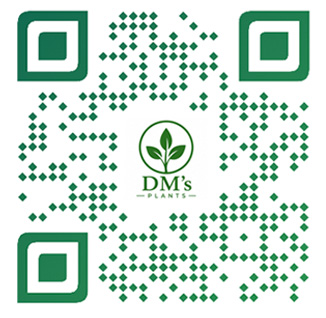
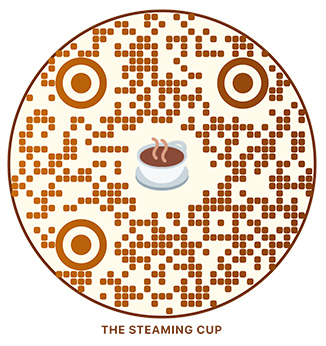
See what's possible

Social

Photo

Logo

Logo

Emoji

Emoji

How we're different

Scanworthy

Most QR generators

Free codes work forever
Free codes expire in 7–14 days
Flat $9/month, cancel anytime
$180/year, annual contracts
Cancel and your QR still redirects
Cancel and your QR shows a "subscribe" page
No scan limits, ever
Silent scan caps that disable codes
One-click cancellation
Mandatory 30-day notice to cancel
Unlimited codes on paid tier
Per-code charges or strict caps
We absorb redirect costs after you cancel
They use your printed materials as leverage

Every behavior in the right column is a documented industry practice. We built Scanworthy because we got tired of it.

Read our complete guide to QR code subscription traps →

See exactly how we're different →

Simple Pricing

Design and download for free. Upgrade to edit, track, and manage.

Free QR

$0

Beautiful custom QR code. High-res download. No account needed.

All stylesLogo overlayEmojisPNG, SVG, PDFCommercial use
Start Designing

Smart QR

$9/mo

Everything in Free, plus change where your QR points anytime.

  • Change destination URL anytime
  • Scan tracking — who, when, where
  • Save and manage all your codes
  • Unlimited Smart QRs
  • QRs keep working forever — even after you cancel
Subscribe — $9/month

Frequently Asked Questions

There isn't one. Static QR codes are free because they cost us nothing to generate — your phone reads the URL straight from the dots, our server is never involved. We make money from the Smart QR subscription, which is a different product (editable destinations + scan tracking). If you only need a static QR, you should use the free version and never pay us a cent. We wrote a complete guide to the subscription traps we don't run.
Free static QR: the QR code encodes your destination URL directly. Once you print it, the URL is permanent — you can't change where it points. It works forever, no account, no email, no dependency on us. Smart QR ($9/month): the QR code encodes a Scanworthy redirect URL that points to your destination. You can change the destination anytime without reprinting. We also log every scan so you can see when, where, and how people are using your code. Most people start with a free static code. Restaurants, real estate agents, anyone who might need to change where their QR points later — those people pay for Smart QR.
No. We charge $9/month from day one — no trial period, no card held in advance, no surprise charges. We don't offer trials because every other QR generator does, and they use the trial as bait to lock you in. We'd rather be upfront: $9 the day you sign up, $9 every month after, cancel anytime. If you want to try our product first, the free static QR generator is completely free with no signup. Use it as long as you want. When you need editable destinations or scan tracking, that's when Smart QR makes sense.
PNG, SVG, and PDF. Free downloads come at 1000×1000 pixels (PNG), Smart QR downloads at 2000×2000 pixels — both more than enough for any standard print size up to about 12 inches. SVG and PDF give you true vector output that scales to any size without quality loss — perfect for large signage, banners, or professional print workflows. All three formats are available on both free and Smart QR tiers. File format is not where we put a paywall.
The redirect keeps working forever. Scanning your QR will continue to send people to whatever destination you last set while you were subscribed. Important: that destination is frozen the moment you cancel. If you cancel today with your QR pointing at davidsrestaurant.com/menu, that's where every scan goes from now on. We keep the redirect alive at no cost to you — that's our promise — but you can't change where it points until you resubscribe. If your destination URL ever changes or goes dead, you'd need to resubscribe to update where the QR points. Resubscription is $9/month, and everything picks up exactly where you left off. You can resubscribe for just one month, make your edits, and cancel again.
Two options: 1. Resubscribe for one month ($9), update the destination, cancel again. The new destination becomes the new frozen state. Most cancelled customers who need to update use this option — $9 once, 60 seconds, done. 2. Reprint with a free static QR pointing at your new destination. This costs printing money but gives you a permanent, independent QR with no future dependency on Scanworthy.
Because annual billing is how most QR platforms trap customers — by the time they realize they're locked in, they're 6 months into a contract they can't easily cancel. Monthly billing means you can leave any time. We have to earn your $9 every month.
Yes. Open the designer, build your code, click download. We don't ask for anything. The file is yours. We have no way to identify you and no record that you ever visited.
We use basic anonymous analytics to see what people use (which presets are popular, what design choices get made, etc.), but we don't capture or store anything that identifies you personally. No emails, no accounts, no tracking pixels following you around the web. Free users are anonymous to us.
Not the same physical code, no. The QR you printed encodes your URL directly — once it's printed, it can't be changed. That's how static QR codes work everywhere, not just on Scanworthy. If you decide later that you want editing or tracking, you'd need to create a new Smart QR, print new materials with that code, and use the new version going forward. Old free static QRs you printed will keep working at their original destinations forever — they don't go away. This is why we offer the Smart QR option before you print, in the upsell screen. The right time to decide is before the QR is on physical materials.
We check every QR code before letting you download it. We validate contrast between your dot colors and background, enforce logo size limits, and automatically increase error correction when you add custom shapes, gradients, or center images. If a combination won't produce a scannable code, we block the download and tell you what to fix. The catch we can't control: printing. If your QR scans cleanly in our preview but fails when printed, the issue is almost always how it was printed. Common print-related causes: • Printed too small (anything under 2cm × 2cm is risky) • Low DPI (under 300 DPI, dots blur together) • Faded ink, low toner, or compressed image • Glossy paper or laminate causing scanner glare • Insufficient quiet zone (less than 4 dots of empty space around the QR) • Color shift in cheap printing (e.g., your dark blue prints as light blue) Always test your printed QR before going to full print run. Scan it with two or three phones. If it works there, it'll work on customers' phones too.
For best scanning results: • Size: minimum 2cm × 2cm (about 3/4 inch) for handheld scanning at 1-2 feet. Larger for distance scanning — at least 30cm × 30cm for billboards and signs. • Resolution: print at 300 DPI or higher. Use SVG or PDF for large-format prints to avoid pixelation. • Background: white or very light. Avoid printing QRs on top of busy patterns or photographs. • Quiet zone: keep at least 4 dots of empty white space around the QR. Don't crop close. • Contrast: dark QR on light background scans best. Avoid pastel-on-white or any combination where the QR doesn't visually "pop." • Material: matte paper or matte laminate scans more reliably than glossy. • Logo size: if you add a logo, our designer caps it at a safe size that maintains scannability. Test before mass-printing: print one copy, scan it with your phone in normal lighting from a normal distance. If it works easily, you're set.
Yes, within the limits we enforce. We restrict color combinations to ones with enough contrast to scan reliably. We don't allow design choices that look interesting but fail in the real world (inverted colors, very low contrast, overly large logos). Our designer blocks combinations that won't scan, so you can't accidentally download something that doesn't work as a digital file. Printing those designs is on you — see the print recommendations above for getting reliable scans from a printed gradient.
Yes to both. Photos work, but we apply a white background behind them to keep your QR scannable. Best results come from square headshots, product shots with clean backgrounds, or images that are visually simple. Emojis work too — pick from the emoji grid in the designer. We render emojis using Twemoji (Twitter's open-source emoji set) so your QR looks the same in print as it does on screen, regardless of whether your customer scans it on iPhone, Android, or anywhere else. Either way, our scannability checks run before download. If your specific photo or emoji combination won't scan, we'll let you know and suggest an adjustment.
We've thought about this carefully. Here's what we promise: • Minimum 90 days notice to every paying customer (current and former) by email • Migration tools — we'll help you generate static replacement QRs for new print runs, or migrate to a competitor • Open-source redirect code — we'll publish the underlying redirect logic so technical users can self-host • No surprise shutdowns — we won't quietly disappear or sell to someone who breaks our promises Honest limitation: your already-printed Smart QRs will eventually need to be replaced because they encode scanworthy.com. We can't change what's printed on paper. The 90 days is for you to plan a clean migration.
Welcome back. Resubscribe at $9/month and all your existing codes, destinations, and history pick up exactly where you left them. Your scan data from the gap (when you were cancelled) won't be there — we don't log scans for cancelled subscriptions. But everything from before you cancelled is intact.
No. Free static QR codes encode your URL directly, so scans go straight to your site without passing through us. We have no way to count or log them. If you want scan tracking, that's what Smart QR is for. Create a Smart QR and every scan gets logged with device, location, and time.
No. Unlimited scans on every Smart QR. We don't have hidden scan caps, deactivation thresholds, or "upgrade for more scans" tiers. That's a tactic competitors use to force upgrades — we don't do it.
One click from your dashboard. Account & Billing → Cancel subscription. We don't show retention forms, ask why you're leaving, or make you call us. The button cancels your subscription immediately and your QR codes keep redirecting forever per our promise.
If you cancel in the first 30 days and want a refund, use the support form in your dashboard and we'll refund your most recent payment — no questions asked. After 30 days, we don't do refunds on past months — but you can cancel anytime to stop future charges, and your QR codes still work forever.
No. We never sell customer data. We don't run ads on our site. We don't share your scan data, destinations, or anything else with third parties beyond the services we use to run the business (Stripe for billing, Supabase for the database, Resend for email — all standard SaaS infrastructure). If you delete your account, we anonymize your personal information. Your QR codes keep working (we keep the redirect mappings forever) but they're no longer associated with you in any identifiable way.
You can name your QR codes anything you want from the dashboard. We default to "Untitled" so we don't auto-generate names that might confuse you. Click the name field on any QR code to give it a real name ("Restaurant menu," "Business card 2026," etc.) — makes finding things easier when you have a lot of codes.
Not yet — it's on our roadmap. Custom domain support means your Smart QR encodes a URL on a domain you own (like qr.yourbrand.com) instead of scanworthy.com. This lets you survive scenarios like Scanworthy shutting down, because you control the redirect endpoint via your own DNS. Right now, all Smart QRs use scanworthy.com. When custom domains launch, they'll be available as part of a higher-tier subscription.

Try it. It's free.

Design your QR code in under a minute. Download as PNG, SVG, or PDF. No signup. If you ever need to update where it points or track scans, the Smart QR upgrade is $9/month — and cancellable in one click.

Design your QR — Free